Real-time local voice transcription desktop application powered by faster-whisper (OpenAI Whisper via CTranslate2). Two-layer architecture with Tauri v2 + React communicating with a Python FastAPI backend, offering dictation, live transcription, file upload, semantic search and LLM post-processing.
1. Architecture
The system relies on a two-layer architecture:
- Tauri v2 (Rust): native desktop shell handling global shortcuts, system tray, always-on-top overlay and text injection
- FastAPI (Python): backend hosting faster-whisper, audio capture, SQLite storage, ChromaDB semantic search and the LLM client
The React frontend connects both layers via HTTP and WebSocket on the backend side, and via Tauri IPC (events and commands) on the Rust shell side.

Figure 1 - System architecture
Tauri produces a 5 to 10 MB binary (versus ~150 MB with Electron) with reduced memory usage (~50-80 MB at rest). The separate Python backend provides access to the AI ecosystem (faster-whisper, ChromaDB, OpenAI SDK) while communicating via WebSocket for real-time streaming.
2. Transcription Pipeline
The pipeline transforms microphone audio into text, continuously.
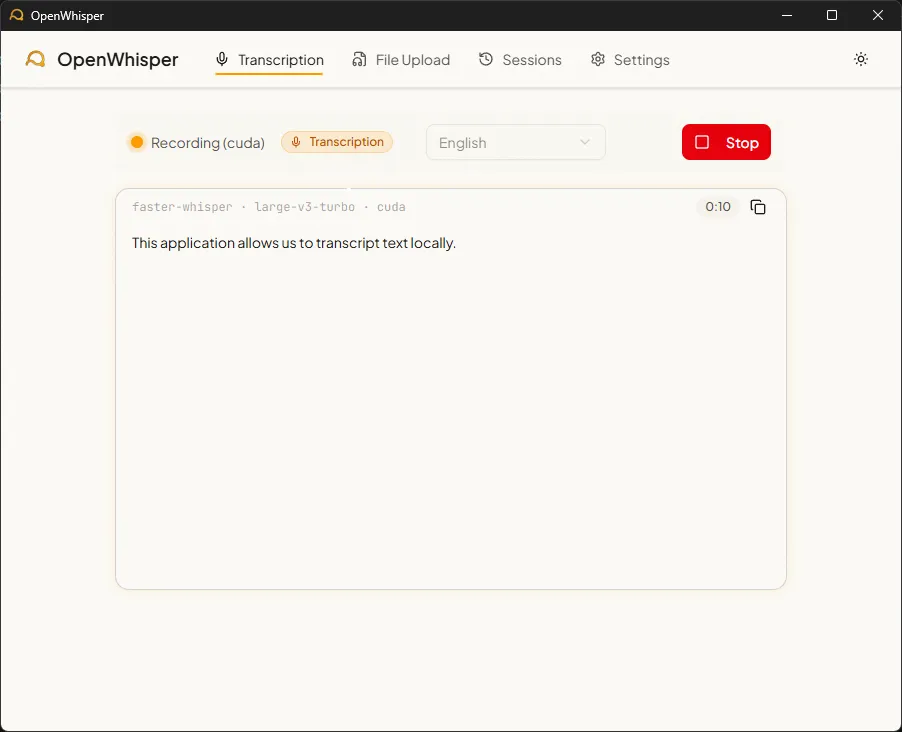
Figure 2 - Real-time transcription mode
Microphone → sounddevice (16kHz mono)
    → 80ms PCM16 chunks → base64 → WebSocket
    → circular buffer (10s, 1s overlap)
    → Silero VAD (silence filtering)
    → faster-whisper (beam search, beam=5)
    → anti-hallucination filtering
    → text delta → frontend
Audio is captured at 16 kHz mono via PortAudio, split into 80ms chunks, base64-encoded and sent over WebSocket. The backend accumulates these chunks in a configurable buffer (1 to 30 seconds, default 10s) with a one-second overlap between windows to avoid cutting words.
Anti-hallucination
Whisper models can produce hallucinations: repeated text loops or invented sentences on silent segments. Three filtering mechanisms are in place:
- Compression ratio and log_prob filtering: segments with an excessive compression ratio or a low average log-probability are rejected
- Repeated n-gram detection: if the same n-gram appears more than 3 times in a segment, the entire chunk is discarded
- Silero VAD: the Voice Activity Detector filters silent regions upstream, preventing Whisper from transcribing silence
CPU vs GPU
| Configuration | Model | Latency (10s of audio) | VRAM |
|---|---|---|---|
| CPU (i7/Ryzen 7) | small (244M params) | 3-5 s | 0 |
| CPU | large-v3-turbo (809M) | 15-30+ s | 0 |
| GPU (RTX 3060+) | large-v3-turbo | ~1 s | ~3 GB |
| GPU | small | < 1 s | ~500 MB |
The auto mode detects the presence of a CUDA GPU and selects the optimal model. If CUDA fails (missing DLL, insufficient VRAM), the fallback to CPU is automatic.
3. Usage Modes
a) Dictation mode
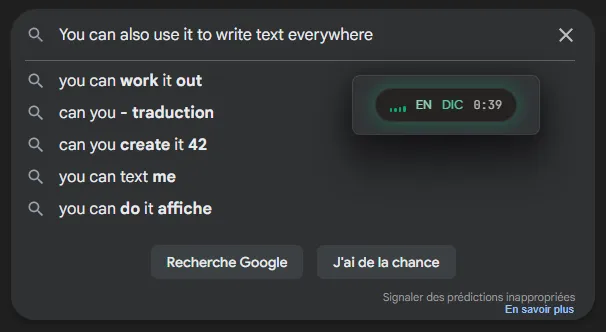
Figure 3 - Dictation mode
The global shortcut Ctrl+Shift+D activates transcription. Each text fragment is injected at the cursor position in the active application. Injection uses the clipboard (via arboard) then simulates Ctrl+V (via enigo), ensuring Unicode compatibility and faster speed than individual keystroke simulation. Deltas are batched in 80ms intervals to avoid clipboard conflicts.
b) Transcription mode
The shortcut Ctrl+Shift+T opens a dedicated transcription window. Text accumulates in a scrollable view with a session timer. At the end, the session is saved to SQLite with timestamped segments and indexed in ChromaDB.
c) File upload mode
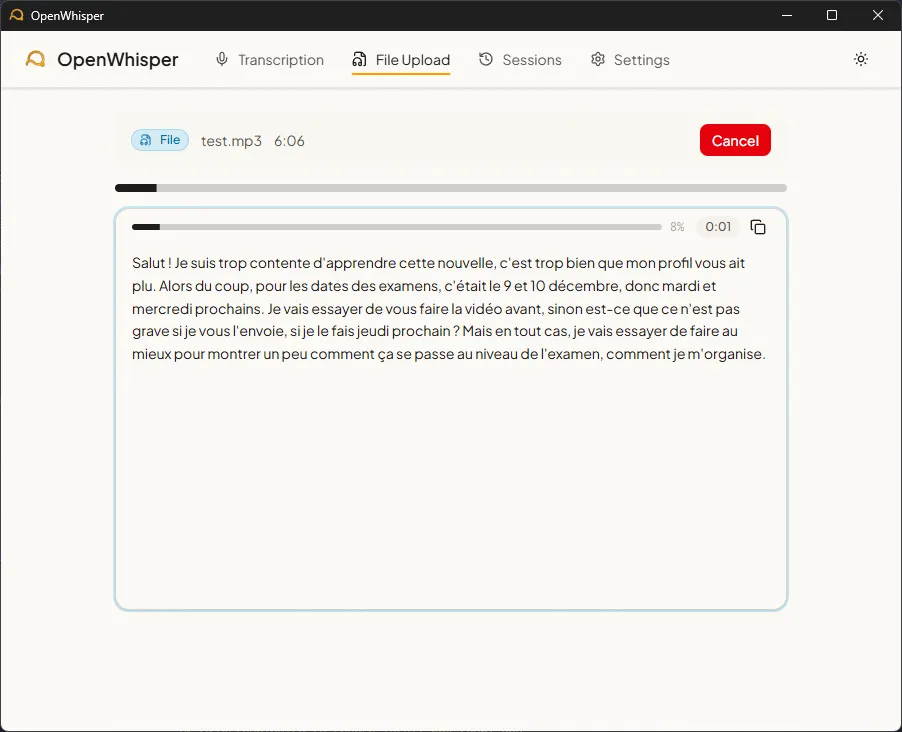
Figure 4 - Audio file transcription
Drag-and-drop or the file picker accepts 9 audio formats (WAV, MP3, FLAC, OGG, M4A, WebM, WMA, AAC, Opus) up to 500 MB. The REST upload creates the session and saves a temporary file, then the WebSocket streams progress and segments in real time. On GPU, a 6-minute recording is transcribed in 9 seconds, roughly 40x faster than real time.
4. Semantic Search
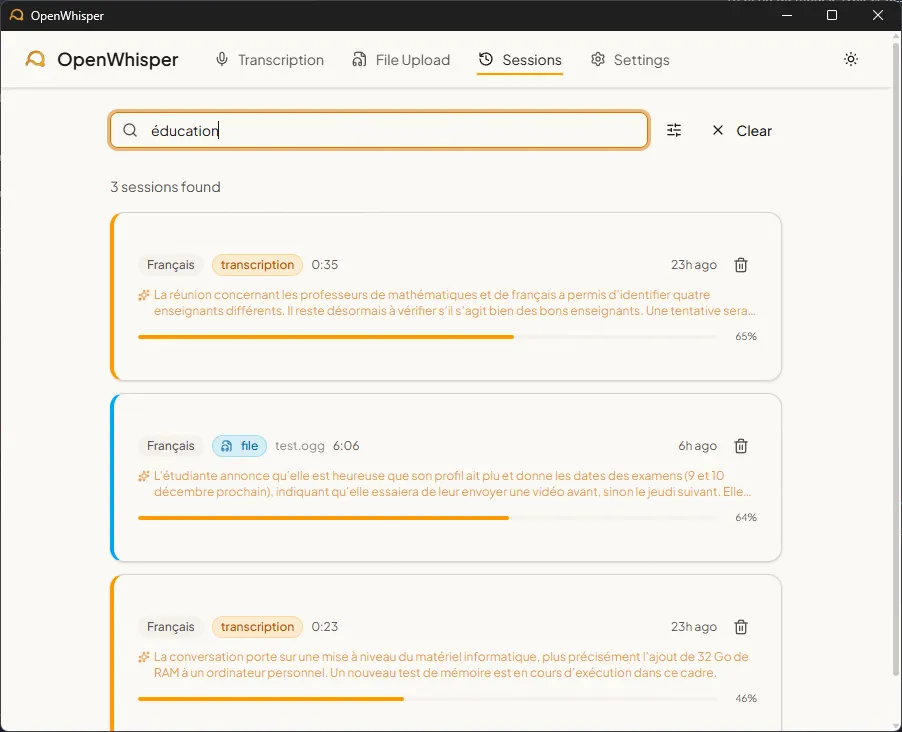
Figure 5 - Session history search
Sessions are indexed in ChromaDB with multilingual embeddings (paraphrase-multilingual-MiniLM-L12-v2, 384 dimensions, 50+ languages). Search combines exact matching (non-stopword terms, accent-insensitive) and semantic similarity (cosine distance). Relevance is computed as .
When an LLM summary exists for a session, that summary is indexed in ChromaDB (more concentrated semantic signal). Otherwise, the raw transcription text is used.
5. LLM Post-Processing
Three post-processing scenarios are available via any OpenAI-compatible API (Ollama, LM Studio):
| Scenario | Description |
|---|---|
| Summary | 2-4 sentence session summary |
| Task list | Extraction of mentioned actions (markdown format) |
| Reformulation | Filler word cleanup, grammar correction |
System prompts automatically adapt to the target language among the 13 supported.
6. Storage
Data is stored locally in SQLite (WAL mode, foreign keys) with two tables:
sessions: metadata (mode, language, timestamps, duration, LLM summary, filename)segments: transcribed text with start/end timestamps in milliseconds and confidence score
Migrations are managed via PRAGMA user_version. All data (SQLite database and ChromaDB index) is grouped in a ./data/ folder.
7. Technical Challenges
CUDA on Windows
CTranslate2, the engine behind faster-whisper, requires cuBLAS libraries for GPU acceleration. On Windows, these DLLs are installed by pip in subdirectories of site-packages/nvidia/*/bin/, a path the system does not find automatically. A recursive scan at startup via os.add_dll_directory() adds each bin/ folder from NVIDIA packages.
Synchronous ChromaDB in an async backend
Since ChromaDB is a synchronous library, each call is wrapped in asyncio.run_in_executor() to avoid blocking the FastAPI backend event loop.
REST-WebSocket bridge for file upload
File upload follows a two-step flow: a REST POST creates the session and saves a temporary file, then the client connects via WebSocket to receive progress updates. An in-memory registry (dictionary with 10-minute TTL) bridges both steps.
8. Tech Stack
| Layer | Technologies |
|---|---|
| Desktop shell | Tauri v2 (Rust), global shortcuts, system tray, text injection (enigo + arboard) |
| Frontend | React 19, TypeScript 5.9, Vite 7, Tailwind CSS v4, shadcn/ui, Radix UI |
| Backend | Python 3.13, FastAPI, uvicorn, WebSocket |
| Transcription | faster-whisper (CTranslate2), Silero VAD, 6 models (tiny to large-v3-turbo) |
| Storage | SQLite (aiosqlite, WAL mode), ChromaDB (cosine, 384-dim embeddings) |
| LLM | AsyncOpenAI client compatible with Ollama / LM Studio |
| Audio | sounddevice (PortAudio), 16kHz mono, 9 file formats via native ffmpeg |
These projects might interest you
Motivation Letter Writing Assistant
Parcoursup writing assistant powered by CamemBERT to structure letters.
Exploring a RAG Pipeline
RAG pipeline benchmark and assembly of the tool into a Chainlit chat.